5 WordPress Optimization Plugins I’m Loving (After 10+ Years Blogging)
I’ve been using WordPress since the first day I started my blog back in 2013. It has evolved so much over the years, but I loved it even back then.
I had to learn a bit about how it works, but I’m so glad I started with it, instead of using another content management system and later having to switch to WordPress.
Naturally, I’ve tried many plugins in my blogging career. Some worked well and I kept, others didn’t or weren’t necessary. Some I replaced with alternatives but later came back to. Some were discontinued, and for others I even paid. And some caused errors because they didn’t work well in combination with other existing tools on my site.
WordPress plugins are amazing, they allow you to do anything you can imagine with your site without any coding knowledge.
It’s best to stick to trusted ones, though, and to keep them updated.
Some of the main ones I’m using include:
- Yoast SEO (optimization);
- Wordfence (security);
- Jetpack;
- Site Kit (Google’s official WP plugin);
- LiteSpeed Cache – I’ve used the other popular ones before (like W3 Total Cache), but switched to this one some time ago due to my host’s recommendation.
But now, let me share about some lesser known ones that I actually like and use, and which help me run a faster, cleaner blog.
WordPress Optimization Plugins I’m Loving Lately
1. Redirections
For a big content site, you’ll end up deleting old content, merging existing posts on the same topic and making major changes to old posts (even editing the URL). In all these cases, it’s a good practice to redirect the old URL to the new one so you don’t have any broken links.
The plugin I like using for that is Redirections and it’s super simple and easy to use.

You add your old URL in the first field, and the new one in the second empty field (titled Target URL). You click ‘Add Redirect’ and you’re done.
2. Update URLs.
Together with that, it’s a good practice to replace existing old links on your site with the new ones. For that, I use Update URLs.
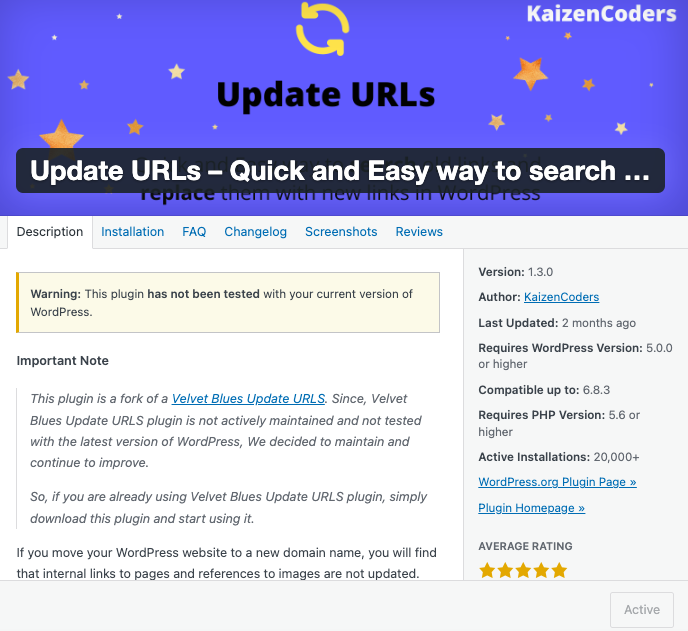
Here’s how it works:
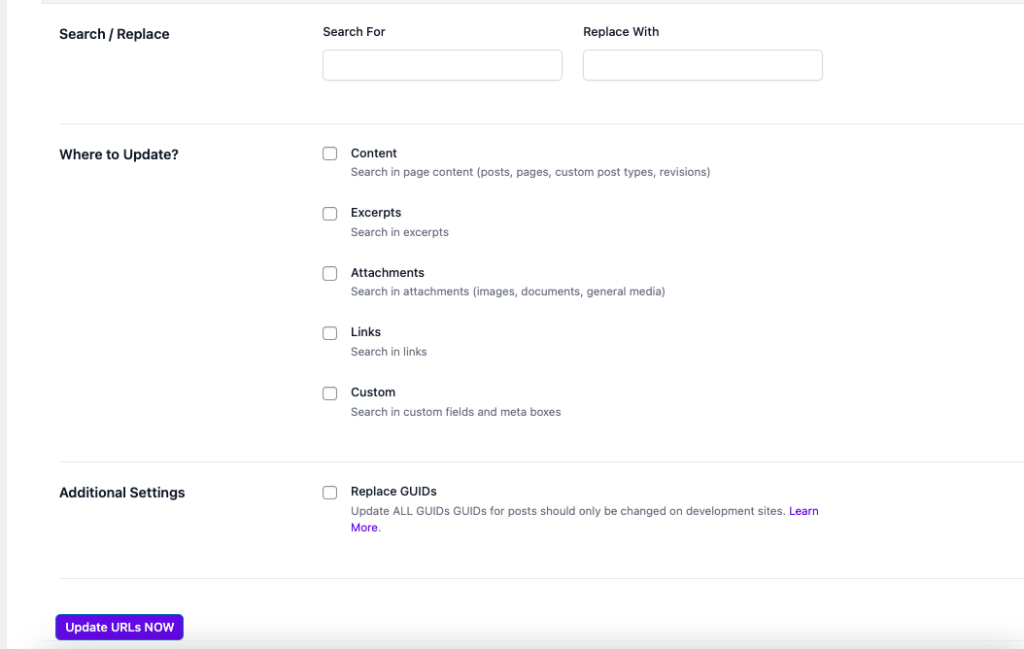
I add the old link under ‘Search For’ and the new one under ‘Replace With’.
The boxes I check below are Content, Excerpts, Attachments and Links.
3. Broken Link Checker
Speaking of broken links, this is a plugin I love for this.
I only install it sometimes (every 2-3 months), take action on the broken links, and then uninstall and delete the plugin. It’s not necessary to have it all the time.
4. WP-Optimize
I do the same thing with this one – I install it only when I need the job done, and then remove it. Many plugins can slow down a site so it’s best to only keep the ones you actually need and use all the time.
What WP-Optimize does is clean, optimize and compress your blog’s database and files.
There are different ways it does it, but the main reason I use it is to delete post revisions (I can have hundreds of these just standing there) and optimize tables.
This, by the way, reminds me to install it now and take these actions. It’s super quick and easy, with the click of a button.
And you may want to do it at the end of the month or beginning of the new one. Same for the Broken Link Checker.
If you publish a lot of content and make updates to old posts, take these actions monthly to keep things clean on your site.
5. Link Whisper
Next on my list of WordPress optimization plugins I’m loving lately is Link Whisper.
I only use the free version, but it already helps me so much.
For a start, the plugin sends me a link health report via email. Here’s how that looks like:
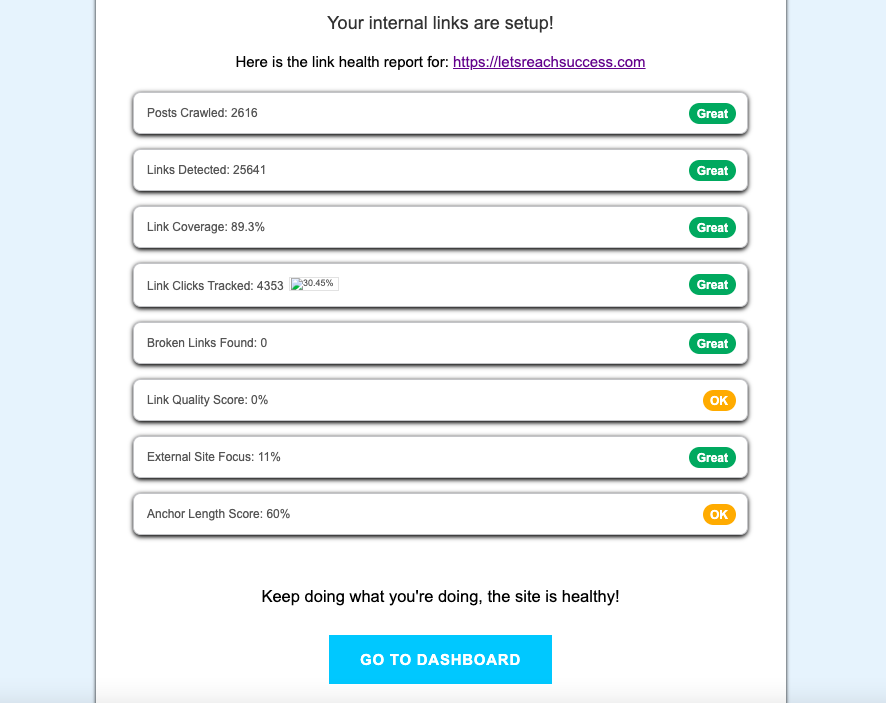
You can see a lot at a glance, and you can go fix the existing issues.
Inside your WP site, you can also head to Link Whisper’s dashboard and see all the options.
You can run a link scan from the button on top, or visit the links report, domains report, clicks report, etc.
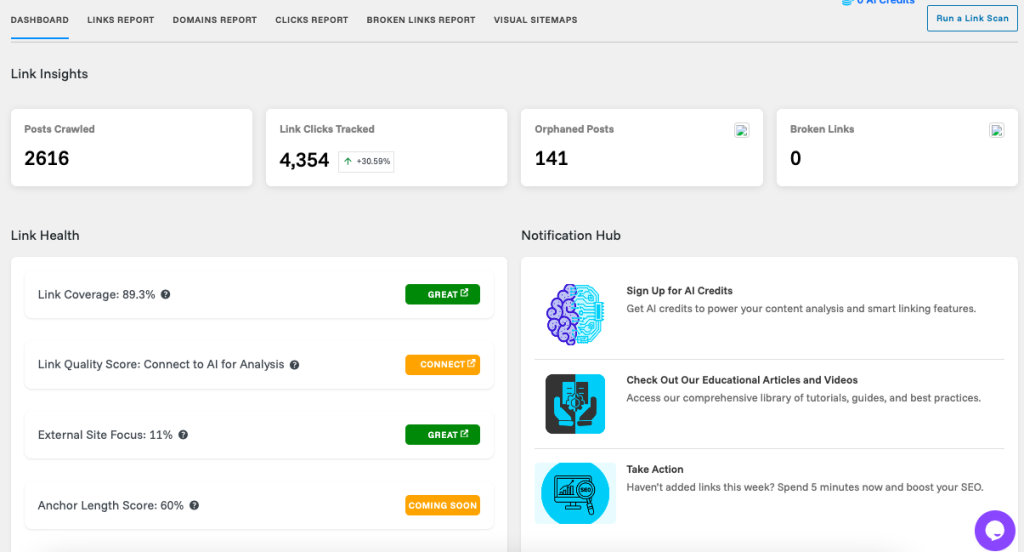
The tool also creates visual sitemaps for you. It could be for inbound, outbound, external or all links. It’s pretty awesome how these look.
One thing I can take action on, for example, is the orphaned posts. You can see in the screenshot above that I have 141 one of them.
These are posts that don’t get any links from other pages on my site, which makes the content hard (or impossible) to find for both search engines and visitors. So it’s something I need to fix by adding internal links to those 141 posts.
That’s an example of the magic of Link Whisper. There’s a lot more it does, and I haven’t even explored all its options.
What do you think?
Have you used any of these WordPress optimization plugins? If not, which ones are you willing to try?
They are all free, so there’s nothing to lose here.
Let me know if you have any questions.